n8n 2.0 Disabled Nodes: ExecuteCommand & LocalFileTrigger Fix Guide
Explore an in-depth guide on how n8n 2.0 disables certain high-risk nodes by default, why this decision was made, and detailed steps to safely re-enable or replace ExecuteCommand and LocalFileTrigger nodes.
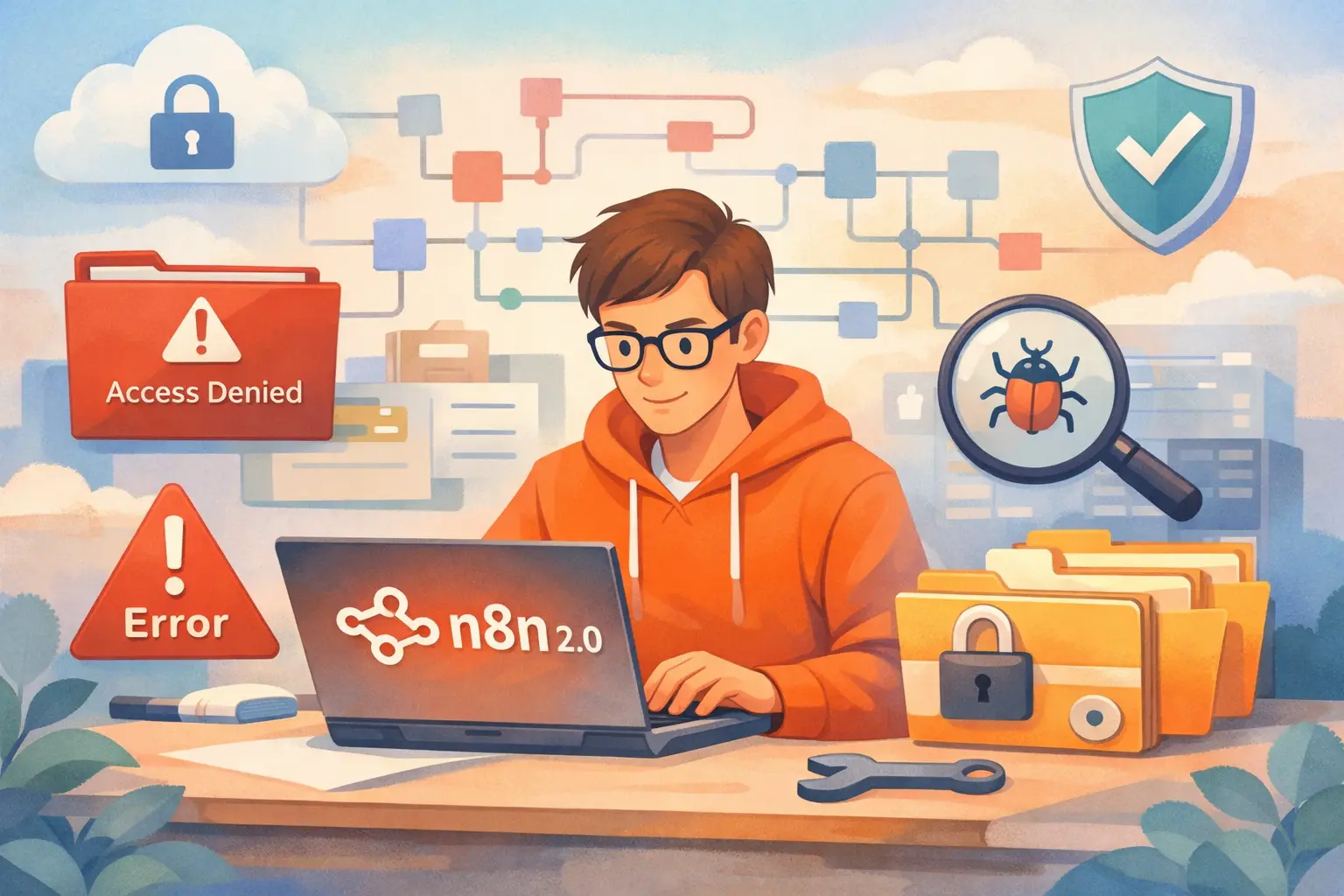
Table of Contents
- Introduction
- Understanding the Changes in n8n 2.0
- Why Were ExecuteCommand and LocalFileTrigger Disabled?
- Impact on Your Workflows
- How to Identify Affected Nodes
- Re-Enabling ExecuteCommand and LocalFileTrigger (Self-Hosted)
- Handling Python Code Nodes in n8n 2.0
- Security Considerations and Best Practices
- Cloud vs Self-Hosted: What You Need to Know
- A Quick Decision Guide in Table Format
- Practical Examples and Recovery Steps
- Conclusion
- Frequently Asked Questions (FAQs)
Introduction
n8n 2.0 has ushered in some significant changes for users who depend on its automation capabilities. While many of these changes aim to improve security and stability, several highly powerful yet potentially dangerous nodes have been disabled by default. In this article, we dive into the details of why nodes such as ExecuteCommand and LocalFileTrigger have been disabled, what that means for your workflows, and how you can re-enable them safely if you choose to do so.
This guide lays out clear, step-by-step directions, practical examples, and a detailed explanation of the security implications. It is designed to provide a smooth transition for users migrating from previous versions to n8n 2.0 and help you make informed decisions regarding the use of these features.
Let’s embark on this journey together, clarifying complex points with plain language and structured insights that are easy to understand.
Understanding the Changes in n8n 2.0
Earlier versions of n8n allowed certain nodes by default that could execute commands, watch local file changes, or run Python code with minimal restrictions. In n8n 2.0, the system designers, keeping security at the forefront, decided to disable some high-risk nodes out of the box. The key nodes affected include:
- ExecuteCommand Node: Enables executing any shell or terminal command on your server.
- LocalFileTrigger Node: Monitors local files and directories for changes that trigger workflows.
- Python Code Node (Legacy): Previously allowed direct Python code execution within workflows.
What Changed?
- Default Configuration: Both ExecuteCommand and LocalFileTrigger nodes are disabled by default to prevent unintended system damage or unauthorized access.
- Python Node Overhaul: The old Python environment management has been replaced with a task-runner approach necessitating better configuration and environmental controls.
These changes were implemented not as arbitrary restrictions but as a move to protect servers against accidental or malicious misuse of powerful functionalities. For teams running production workflows, these changes can mean disruptions if you were heavily reliant on these nodes.
Why Were ExecuteCommand and LocalFileTrigger Disabled?
The decision to disable certain nodes is rooted in the need to secure server operations and maintain user data integrity. Let’s break down the rationale for each node.
ExecuteCommand Node
This node is capable of running any command that your operating system allows. Consider the following risks:
- Elevation of Privileges: Running commands like "rm -rf /" could wipe an entire system if misused.
- Command Injection: In compromised workflows, a malicious entity could trigger harmful commands.
- Broad Access: It can perform operations without limits, leading to the possibility of altering system settings or accessing sensitive data.
For these reasons, n8n has chosen to disable this node by default. The goal is to force administrators and developers to consider the security implications before allowing such robust capabilities in their workflows.
LocalFileTrigger Node
This node observes directories and files on your server. Although its functionality is highly useful for certain automation scenarios, it carries certain risks:
- Deep File System Access: The node must access local file structures extensively, which can inadvertently expose file paths or system structures.
- Misconfiguration Hazards: An error in configuration might expose directory information that could be exploited.
- Unexpected Behavior: On containerized or cloud environments, local file watching could produce unpredictable results.
Python Code Node (Legacy)
The Python Code node in its previous form relied on an ad hoc runtime environment. With the transition to n8n 2.0, this approach has been replaced due to:
- Inconsistencies: Variability in runtime environments could lead to unpredictable outcomes.
- Security Flaws: Running Python code directly within the workflow without proper isolation poses significant risks.
- Performance Bottlenecks: The new task-runner system provides a more robust and secure mechanism to run code.
By setting these changes in motion, n8n aims to enforce a security-first approach, making explicit the decision to re-enable these functions only with conscious, deliberate edits to the deployment settings.
Impact on Your Workflows
Upgrading to n8n 2.0 might bring about unexpected results. Many users have reported that previously functional workflows are now broken, and nodes that used to be picked up in the workflow editor are missing. Let’s explore some scenarios:
- Workflow Failures: If your automation primarily depended on ExecuteCommand or LocalFileTrigger, you might now encounter errors or have these nodes marked as "missing."
- Node Unavailability: After upgrading, a quick search in the node picker might reveal that these nodes simply do not show.
- Python Code Node Breaking: Workflows utilizing legacy Python nodes might now throw errors indicating missing virtual environments or other runtime issues.
For many developers who had built extensive automations, this change highlights the necessity to reconfigure and adapt their workflows to align with the new, more secure defaults.
How to Identify Affected Nodes
Before making any modifications, it is important to ascertain which parts of your workflows are affected. Here’s a checklist to get started:
- Open Your n8n Editor: Begin by launching your n8n editor and reviewing your workflows.
- Search for Specific Nodes: Use the search functionality to locate "ExecuteCommand", "LocalFileTrigger", and "Python Code" nodes within your projects.
- Review Workflow Logs: Look for any error messages associated with missing or misbehaving nodes.
- Test Key Workflows: Run a few workflows manually to determine if any are failing due to disabled nodes.
By following this structured approach, you can confidently map out which parts of your automation ecosystem need attention.
Re-Enabling ExecuteCommand and LocalFileTrigger (Self-Hosted)
If you decide that the benefits of using these nodes outweigh the risks, especially on self-hosted platforms, you can opt to re-enable them. Here is a detailed step-by-step guide:
Step 1 – Check Your Current NODES_EXCLUDE Setting
n8n uses an environment variable, NODES_EXCLUDE, to control which nodes are disabled. Depending on your setup, your configuration might be located in:
- docker-compose.yml
- .env file
- systemd service file
- PM2 configuration
- Kubernetes manifest files
Example configuration in a .env file might look like:
NODES_EXCLUDE=ExecuteCommand,LocalFileTrigger
Step 2 – Adjust the NODES_EXCLUDE Variable
To re-enable these nodes, you will need to modify your configuration:
- Remove ExecuteCommand and LocalFileTrigger from the list.
- Ensure other critical nodes you wish to keep disabled remain unaffected.
For example, if your file contains:
NODES_EXCLUDE=ExecuteCommand,LocalFileTrigger,SomeOtherNode
You can change it to:
NODES_EXCLUDE=SomeOtherNode
Or, if all nodes are to be enabled:
NODES_EXCLUDE=
This clear adjustment enables the functionality while leaving the door open for extra caution if needed.
Step 3 – Restart n8n
After making the necessary changes:
-
For Docker deployments, execute:
docker compose down
docker compose up -d -
For non-Docker systems (systemd or PM2 setups), restart the n8n service following your environment’s procedures.
Step 4 – Verify the Changes
- Open the n8n editor again.
- Check the node picker for "ExecuteCommand" and "LocalFileTrigger".
- Open and test workflows that depend on these nodes to ensure they are functioning properly.
By following these steps, you can restore the functionality required by certain workflows while being mindful of the inherent risks.
Handling Python Code Nodes in n8n 2.0
The migration from old-style Python Code nodes to a task-runner architecture may seem challenging at first. This section provides an overview of your options and strategies to manage Python nodes moving forward.
What’s New for Python?
In n8n 2.0:
- Task Runner Architecture: Python execution now relies on dedicated task runners rather than an on-the-fly ad hoc runtime.
- External Dependencies: The platform expects you to configure a proper Python environment, improving security and performance.
- Better Isolation: Using runners reduces the risk of conflicts and unexpected behavior, but it might require additional setup if you’re migrating from older versions.
Re-Configuring Python Support
There are three primary routes you can take if your workflows require Python functionality:
-
Set Up Dedicated Python Runners:
- Configure dedicated runners that manage Python execution separately.
- This approach is ideal if your workflows rely heavily on Python code.
- Detailed instructions can be found in the official n8n documentation on task runners.
-
Externalize Python Execution:
- Offload Python processing to an external service or API.
- For instance, deploy your Python code on a serverless platform and have n8n call that API using an HTTP request.
- This reduces complexity within n8n while preserving all the logic you need.
-
Migrate to JavaScript Code Nodes:
- For many scripts, JavaScript can provide a similar utility without the overhead of managing external Python environments.
- JavaScript has the benefit of being native to the n8n ecosystem, ensuring smoother performance.
- Evaluate if the migration will meet performance and security needs in your setup.
Practical Considerations for Python Nodes
- Testing: Always run tests in a controlled environment before migrating production workflows.
- Documentation: Document any changes in how your Python nodes execute and monitor them closely.
- Security: When using dedicated runners or external services, safeguard your endpoints to prevent unauthorized access.
By assessing these options, you can choose the most appropriate path for ensuring your automation workflows remain robust while minimizing security risks.
Security Considerations and Best Practices
As we discussed earlier, re-enabling powerful nodes comes with responsibilities. Here are some best practices to follow:
Principle of Least Privilege
- Restrict Access: Limit node usage to individuals or teams with explicit administrative privileges.
- Document Usage: Keep a record of workflows that use high-risk nodes. This helps with auditing and traceability over time.
- Access Control: Use internal policies to make sure only experienced personnel can modify workflows that include nodes like ExecuteCommand.
Secure Your Environment
- Keep your n8n instance behind a firewall where possible.
- Use VPN, SSH tunnels, or similar secure methods to access your self-hosted environment.
- Regularly update your security patches and monitor for any suspicious activity.
Risk Mitigation When Re-Enabling Certain Nodes
-
ExecuteCommand:
- Only enable this node if you fully understand the scope and impact.
- Consider wrapping the command in a custom script that validates inputs.
- Monitor the command logs carefully for unexpected behavior.
-
LocalFileTrigger:
- Limit the directories being watched to those that are non-sensitive.
- Ensure that file-path information is not exposed unnecessarily.
- Use safe directory paths and consider sandboxing where possible.
Adhering to these precautions will help ensure your automation processes remain secure and reliable, even after reintroducing previously disabled nodes.
Cloud vs Self-Hosted: What You Need to Know
n8n is available as a cloud service and a self-hosted solution. Each option has different implications for using high-risk nodes like ExecuteCommand and LocalFileTrigger.
On n8n Cloud
- Built-In Restrictions: The cloud environment often has additional restrictions to maintain overall security.
- Limited Node Accessibility: Some nodes might remain disabled no matter the configuration, ensuring a multi-tenant environment remains safe.
- Managed Service: The responsibility of enforcing good security practices lies largely with the n8n team.
On Self-Hosted Setups
- Full Control: You have full authority over your environment and the configuration settings.
- Customizable: Manipulation of the
NODES_EXCLUDEvariable allows you to fine-tune which nodes are enabled. - Enhanced Risk: With great control comes greater responsibility. You must ensure that your infrastructure is secure and that only trusted individuals have access to sensitive nodes.
Understanding these differences will help you decide the best course of action for your specific environment, making sure that if you opt to re-enable sensitive nodes, your infrastructure is prepared for the challenges ahead.
A Quick Decision Guide in Table Format
To simplify decision-making, here is a table summarizing key points and recommendations:
| Node | Default in n8n 2.0 | Risk Level | Recommendation |
|---|---|---|---|
| ExecuteCommand | Disabled | Very High | Re-enable with caution; limit to admin use only. |
| LocalFileTrigger | Disabled | Medium-High | Enable only for controlled local environments. |
| Python Code (Legacy) | Changed/Legacy | Medium | Migrate to task runners, external service, or JS. |
This decision guide underscores the balance between functionality and security, allowing you to assess the trade-offs required to run each node effectively.
Practical Examples and Recovery Steps
In this section, we illustrate how to recover workflows that might have broken after upgrading to n8n 2.0. We also highlight some practical examples of workflow adjustments and safe usage patterns.
Example 1: Recovering a Workflow with ExecuteCommand
Consider a workflow that previously utilized the ExecuteCommand node to trigger a script. After the migration, the workflow shows errors. Follow these steps to recover:
- Identify the Issue:
- Check the workflow log to see that commands are failing.
- Use the node picker to verify that ExecuteCommand is no longer displayed.
- Modify the Configuration:
- Open your relevant configuration file (e.g., .env or docker-compose.yml).
- Remove "ExecuteCommand" from the NODES_EXCLUDE variable.
- Restart the Service:
- Run the appropriate restart commands (docker compose down/up or system service restart).
- Test Again:
- Verify that the workflow executes correctly by manually triggering it.
- Document the Change:
- Note this change in your workflow documentation for future audits.
Example 2: Setting Up a Controlled LocalFileTrigger
Suppose you use LocalFileTrigger to monitor a specific folder for new files. The goal is to enable this functionality safely:
- Define a Safe Directory:
- Create a dedicated folder (e.g., /data/n8n-input) that only accepts files from trusted sources.
- Configure LocalFileTrigger:
- Update the workflow to point solely to the directory created for file watching.
- Secure the Folder:
- Limit operating system permissions on the folder to avoid unauthorized access.
- Review and Monitor:
- Periodically check logs to ensure that no unexpected files trigger a workflow inadvertently.
Example 3: Migrating a Python Workflow to Safer Alternatives
If you have workflows that rely on the legacy Python Code node, consider these strategies:
- Direct Migration to JavaScript:
- Evaluate whether the automation logic can be rewritten in JavaScript.
- This is often more straightforward and leverages n8n’s in-built strengths.
- Dedicated Python Runner Setup:
- Configure a separate virtual environment improved for Python code execution.
- Follow guidelines from the n8n documentation on setting up Python runners.
- External API Integration:
- Offload the Python code execution by developing an API on another server.
- Use n8n HTTP Request nodes to communicate with your external service.
By reviewing detailed examples and following these recovery steps, you can navigate the transition period between versions with more confidence and security.
Conclusion
n8n 2.0’s changes regarding disabled nodes such as ExecuteCommand and LocalFileTrigger underscore the platform’s shift toward a more secure and resilient automation infrastructure. While these adjustments may require additional configuration and thoughtful consideration, they also offer you greater control over your environment.
As you migrate or rebuild workflows, remember to balance the need for advanced functionality with the imperative of a secure environment. Always follow best practices such as restricting access, monitoring effectivity, and keeping your systems updated. Moreover, re-assessing the logic behind your automation might open new avenues for safer, more efficient solutions.
For many teams, opting to migrate scripts to JavaScript code nodes or externalizing processes through API calls could streamline your workflows while preserving security. The path you choose depends on your specific requirements and the risk tolerance of your operational environment.
The roadmap provided in this guide—complete with step-by-step instructions, practical examples, and a clear summary of key points—offers a comprehensive resource to help you navigate these changes effectively. By adopting the strategies shared here, you not only maintain the power of n8n but also safeguard your system against potential vulnerabilities in today’s ever-evolving security landscape.
By following the comprehensive guidance in this article, you should be well-equipped to update your n8n workflows following the 2.0 changes. The shift to a more secure model encourages cautious, deliberate configuration—ultimately making your automation environment safer and more robust for future growth. Enjoy exploring n8n 2.0 with these proactive insights, and remain vigilant about reassessing your system’s security as your automation needs evolve!
FAQ
Frequently Asked Questions
Common questions about this article
Related Articles
You Might Also Like
Explore more articles on similar topics
The Complete Non-Technical Guide to Upgrading n8n to Version 2.0: Everything You Need to Know
A comprehensive, non-technical guide to upgrading n8n to version 2.0. Learn about breaking changes, migration steps, troubleshooting, and detailed fix guides for database migration, code nodes, task runners, disabled nodes, file access, OAuth, and Start node replacement.
n8n 2.0 Database Migration: MySQL to PostgreSQL - Complete Fix Guide
A comprehensive guide to transitioning your n8n database from MySQL/MariaDB to PostgreSQL, ensuring a smooth upgrade to n8n 2.0 with detailed steps, troubleshooting tips, and best practices.

n8n 2.0 File Access Restrictions: Common Errors and Easy Fixes
A detailed guide on n8n 2.0 file access restrictions. Learn common errors, troubleshooting steps, and easy fixes to secure and streamline your workflow file management.