The Complete Non-Technical Guide to Upgrading n8n to Version 2.0: Everything You Need to Know
A comprehensive, non-technical guide to upgrading n8n to version 2.0. Learn about breaking changes, migration steps, troubleshooting, and detailed fix guides for database migration, code nodes, task runners, disabled nodes, file access, OAuth, and Start node replacement.
Table of Contents
- Introduction
- Why Version 2.0 Matters: The Philosophy Behind the Change
- Understanding the Three Pillars of n8n 2.0
- The Two Paths: Self-Hosted vs. Cloud
- The Breaking Changes: What's Actually Changing
- Detailed Fix Guides for Common Issues
- The Migration Report Tool: Your Upgrade Checklist
- Self-Hosted Upgrade Process: Step-by-Step for Docker
- Cloud Upgrade Process: Much Simpler
- Common Issues You Might Encounter
- Creating Your Upgrade Plan
- Key Takeaways: The Bottom Line
- Conclusion
- Frequently Asked Questions (FAQs)
Introduction
n8n version 2.0.0 represents a major milestone in the platform's evolution, released in December 2025 as a beta version with the stable release following shortly after. However, unlike typical major version releases that focus on flashy new features, n8n 2.0.0 is fundamentally different. This is what the team calls a "hardening release"—focused on making the platform more secure, reliable, and production-ready from the ground up.
If you're running n8n, whether as a self-hosted instance or using the cloud service, understanding what's changing and how it affects you is critical. This isn't a release where you can upgrade casually without preparation. The breaking changes are real, and they're intentional. They represent the n8n team's commitment to building a platform that's secure by default, more stable, and better equipped to handle mission-critical automation workflows.
This comprehensive guide is designed for business users, automation managers, and technical decision-makers who want to understand the upgrade without wading through technical jargon. We'll walk you through what's happening, why it matters, what needs to change in your workflows, and how to prepare for a smooth transition.
Why Version 2.0 Matters: The Philosophy Behind the Change
Let me start by explaining why n8n made this major version bump now, when they could have continued releasing smaller updates.
When n8n released version 1.0 in July 2023, it marked the platform's arrival as a production-ready solution. Since then, the platform has grown remarkably—from 30,000 to over 160,000 GitHub stars, with the community expanding from about 6,000 to over 115,000 members. The team also grew from 30 to over 190 people.
Throughout all these releases and improvements, the n8n team accumulated a backlog of important changes they wanted to make. These improvements fell into three categories: security enhancements, reliability fixes, and deprecations of features causing instability. Each one of these required a breaking change—an update that would need you to modify your workflows or configurations. According to semantic versioning, breaking changes must come with a major version bump.
That's why 2.0 exists. It's the container for all those accumulated improvements that couldn't be done incrementally. And it's exactly what the platform needed.
Understanding the Three Pillars of n8n 2.0.0
The entire 2.0 release is built around three core objectives: security, reliability, and performance. Understanding these pillars helps you understand why certain breaking changes were necessary.
Security: Making Safe Practices the Default
The biggest security change is the introduction of "secure by default" configuration. Previously, n8n gave users flexibility—sometimes at the cost of security. Now, the platform assumes you want the most secure option and makes you explicitly enable less secure alternatives if you need them.
This manifests in several ways. Code nodes—the powerful nodes that let you write custom code—now run in isolated environments called task runners. This prevents malicious or poorly-written code from accessing sensitive system resources. Environment variables, which are commonly used to store API keys and secrets, are now blocked from being accessed directly in Code nodes. If you need sensitive data, you'll use proper credential management instead.
Some nodes that allow arbitrary command execution or direct file system access are now disabled by default. These are tools that, in the wrong hands or through misconfiguration, could pose serious security risks. You can still use them if you need to, but you have to explicitly choose to do so.
Reliability: Removing the Rough Edges
Reliability improvements focus on removing legacy features and fixing edge-case bugs that have plagued users over the years. When you have lots of options and configuration flexibility, you inevitably get edge cases where things break in unexpected ways.
For example, sub-workflows (workflows that call other workflows) had a data-handling quirk. If a called workflow had a Wait node, the parent workflow would get incorrect data back. In 2.0, this is fixed—the parent workflow now correctly receives the output from the child workflow. This is one of those "boring but important" fixes that makes the platform more predictable.
Similarly, nodes for external services that no longer exist have been removed. Spontit, crowd.dev, Kitemaker, and Automizy are all gone because the companies behind them are gone. Rather than leave broken integrations in the system, the team removed them.
Performance: Removing the Slowdowns
Performance improvements aren't about dramatic speed increases—they're about removing things that slow the system down. For instance, the new SQLite database driver uses connection pooling and can be up to 10 times faster than the old approach, according to n8n's benchmarks.
Binary data handling—files, images, and other non-text data that flows through your workflows—is now handled more predictably, reducing slowdowns under heavy load.
The Two Paths: Self-Hosted vs. Cloud
Before diving into the breaking changes, it's important to understand that the upgrade experience differs depending on where you run n8n.
If You Use n8n Cloud
If your n8n instance is hosted on n8n Cloud (the managed service), the upgrade process is significantly simpler. You don't manage infrastructure, so the cloud team handles the underlying changes. Here's what you need to know:
Manual Updates: You can manually trigger an update anytime through your dashboard. You won't even need to restart your instance—the cloud platform handles that.
Automatic Updates: If you don't update for 120 days, n8n will email you a warning. If you wait another 30 days, n8n automatically upgrades your instance. This is a safety mechanism to keep everyone running recent versions with security patches.
Version Control (Pro Plans): If you're on a Pro plan, you have more control. You can choose specific versions rather than always running the latest.
The main work for you will be assessing how the breaking changes affect your workflows. The upgrade itself is automated.
If You Self-Host n8n
Self-hosted means you manage the entire installation, whether through Docker, npm, or other methods. You have complete control—which also means complete responsibility. Upgrading requires you to:
- Prepare your environment by reviewing breaking changes and running the migration check tool
- Back up everything before attempting an upgrade
- Update the n8n version in your configuration
- Run the upgrade through Docker commands or npm updates
- Test your workflows to ensure they still work
- Roll back if necessary if something goes wrong
For self-hosted instances using Docker Compose (the most common approach), the upgrade process itself takes about 5 minutes. But the preparation and testing take longer. One developer described it as "5 minutes if you don't skip the pre-flight checks, but skip them and you might brick your entire automation stack."
The Breaking Changes: What's Actually Changing
Now, let's get into the specifics. These are the things that will affect your workflows and configuration. The n8n team has organized them into categories, and I'll explain each in plain language.
Database Changes: The Most Critical If You're on MySQL
If you're self-hosting on a MySQL or MariaDB database, this is non-negotiable: you must migrate to PostgreSQL before upgrading to 2.0.
MySQL and MariaDB support has been deprecated and removed in version 2.0. This wasn't a sudden decision—it's been deprecated since the 1.0 release. The reason is technical stability. PostgreSQL is simply more reliable for n8n's use cases.
The good news: n8n provides a database migration tool to help move your data from MySQL/MariaDB to PostgreSQL. This should be your first priority if you're on MySQL. If you skip this step and try to upgrade anyway, your n8n instance won't start.
For those on SQLite, there's also a driver change. The old legacy SQLite driver is being replaced with a pooling driver that's more reliable and faster. This should happen automatically, but it's worth noting that your database connection behavior might change slightly.
Action Required: If you're on MySQL/MariaDB, run the database migration tool before upgrading. If you're on PostgreSQL or SQLite, you can proceed with less concern about the database layer.
Environment Variable Access in Code Nodes
This is a security change that affects how Code nodes work with sensitive data.
Previously, in version 1.x, if you wrote code in a Code node, you could directly access environment variables. This was convenient but dangerous. Environment variables often contain API keys, database passwords, and other secrets. A compromised workflow or a developer writing careless code could expose those secrets.
In 2.0, Code nodes cannot access environment variables by default. The default behavior blocks environment variable access. If your workflows rely on this functionality, you have two options:
- Set the configuration flag
N8N_BLOCK_ENV_ACCESS_IN_NODE=falseto allow environment variable access (less secure but maintains backward compatibility) - Migrate to proper credential management by storing sensitive data as n8n credentials instead of environment variables (the recommended approach)
This might sound like a small change, but if you have Code nodes that read environment variables, they will fail after upgrading unless you address this. You'll see error messages when those nodes execute.
Action Required: If you use Code nodes that access environment variables, either set the configuration flag to allow it, or better yet, migrate to using n8n's built-in credential system.
Task Runners: A Significant Architectural Change
Task runners are now enabled by default. This is one of the biggest changes in 2.0, and it affects how code execution works.
In simpler terms: Code nodes no longer run on your main n8n server. Instead, they run in isolated environments called task runners. Think of it like having a separate, sandboxed computer that handles just the code execution part.
Why this matters: This provides massive security benefits. Even if someone uploads malicious code or exploits a vulnerability in your Code node, it can't access your main n8n server, your database, or your file system. The isolation prevents damage.
What you need to know: By default, n8n includes an internal task runner in your installation, so this should "just work" when you upgrade. However, there's an important caveat for those using external task runners in "external mode."
If you've set up n8n to use external task runners (separate Docker containers or servers dedicated to running code), the Docker image for task runners has changed. The main n8nio/n8n Docker image no longer includes the task runner. You must now use the separate n8nio/runners Docker image for external mode deployments. If you're using external task runners and don't update to the new image, they won't work.
For a more technical setup with external task runners, there's also a known issue where internal runners might still spawn and intercept tasks meant for external runners, causing timeouts.
Action Required: If using internal task runners (most common), nothing special is needed—they're included by default. If using external task runners, update your Docker setup to use the n8nio/runners image.
Disabled Nodes: Tools That Are Now Hidden
Three nodes are disabled by default in 2.0 because they pose security risks:
- ExecuteCommand Node: Allows running arbitrary system commands. In production environments, this is dangerous.
- LocalFileTrigger Node: Monitors your local file system for changes and triggers workflows. This direct file system access can be exploited.
- Python Code Node: The old Pyodide-based version is replaced with a new task runner-based version that works differently.
These aren't deleted—they're just disabled. You can still use them, but you have to explicitly enable them in your configuration.
If you're using any of these nodes in your workflows, they'll fail after upgrading unless you enable them. You'll see errors when the node tries to execute.
Action Required: If you use ExecuteCommand or LocalFileTrigger nodes, you need to set NODES_EXCLUDE configuration to re-enable them. For Python nodes, you need to set up external task runners and rewrite your Python code to work with the new implementation.
File System Access Restrictions
File nodes (like ReadWriteFile and ReadBinaryFile) now have restricted access to your file system.
Previously, these nodes could access any file anywhere on your server. Now they can only access files in a specific directory: ~/.n8n-files. This is a safety measure—it prevents workflows from accidentally or maliciously accessing sensitive files elsewhere on your system.
If your workflows currently read or write files in other directories, they'll fail after upgrading. You'll need to either:
- Move your files to the allowed directory (
~/.n8n-files) - Change the restriction by setting
N8N_RESTRICT_FILE_ACCESS_TOenvironment variable to allow different directories - Update your workflows to work with the new directory structure
Action Required: Review your workflows that use file nodes and ensure they only access files in the allowed directory.
Authentication Requirements for OAuth Callbacks
OAuth is the technology that lets users sign in using Google, GitHub, or other providers. n8n now requires authentication on the URLs that handle OAuth callbacks.
Previously, these callback URLs could be accessed without authentication. This was convenient but potentially unsafe—it's theoretically possible for someone to trigger a callback without proper authorization.
Now these URLs require authentication by default. If you have OAuth integrations (like "Sign in with Google"), they might break unless you test them after upgrading.
Action Required: Test any OAuth integrations after upgrading to ensure they still work with authentication enabled.
Start Node Removed
The Start node was n8n's original way to begin workflows. It's been replaced by more specific trigger nodes like Manual Trigger and Execute Workflow Trigger. The Start node is no longer supported.
If you have old workflows that use the Start node, they'll fail. You'll need to replace it with an appropriate trigger based on how you want the workflow to start:
- For manual execution: Use Manual Trigger
- For sub-workflows: Use Execute Workflow Trigger
- For scheduled execution: Use Schedule Trigger
This is one of the easier changes to fix, but it must be done.
Action Required: Replace any Start nodes in your workflows with appropriate trigger nodes.
Detailed Fix Guides for Common Issues
While this guide provides an overview of all breaking changes, we've created detailed, step-by-step fix guides for each major issue you might encounter. These guides walk you through troubleshooting and resolution in plain, non-technical language:
1. Database Migration: MySQL to PostgreSQL
If you're currently using MySQL or MariaDB, migrating to PostgreSQL is your first priority. Our comprehensive guide covers:
- Why the migration is necessary
- Pre-migration preparation and backups
- Step-by-step migration process
- Troubleshooting common migration errors
- Post-migration validation
Read the detailed guide: n8n 2.0 Database Migration: MySQL to PostgreSQL - Complete Fix Guide
2. Code Node Environment Variables
Code nodes can no longer access environment variables by default. This guide explains:
- Why this security change was made
- How to identify affected workflows
- Two options: re-enable access or migrate to credentials
- Step-by-step migration to n8n credentials (recommended)
- Testing and validation
Read the detailed guide: n8n 2.0 Code Node Environment Variables Fix – A Non-Technical Guide
3. Task Runners and External Mode Issues
Task runners are now the default for code execution. This guide covers:
- Understanding internal vs. external task runners
- Common external mode configuration issues
- Step-by-step recovery and fix procedures
- Security and best practices
- Monitoring and debugging
Read the detailed guide: Task Runners in n8n 2.0: External Mode Issues and Non-Technical Fix Guide
4. Disabled Nodes: ExecuteCommand and LocalFileTrigger
Certain high-risk nodes are disabled by default. This guide explains:
- Why these nodes were disabled
- Impact on your workflows
- How to safely re-enable them (if needed)
- Handling Python Code Nodes in n8n 2.0
- Security considerations and best practices
Read the detailed guide: n8n 2.0 Disabled Nodes: ExecuteCommand & LocalFileTrigger Fix Guide
5. File Access Restrictions
File nodes now have restricted access to your file system. This guide covers:
- Understanding the new file access restrictions
- Common errors and symptoms
- Two options: adapt to new structure or expand allowed directory
- Step-by-step migration checklist
- Real-world examples and use cases
Read the detailed guide: n8n 2.0 File Access Restrictions: Common Errors and Easy Fixes
6. OAuth Callback Authentication Errors
OAuth callbacks now require authentication. This guide explains:
- What changed in n8n 2.0
- Impact on OAuth callback authentication
- Diagnosing and troubleshooting common issues
- Step-by-step fix guide (recommended and temporary options)
- Cloud vs. self-hosted differences
Read the detailed guide: n8n 2.0 OAuth Callback Authentication Errors – Non‑Technical Fix Guide
7. Start Node Removal and Replacement
The legacy Start node has been removed. This guide covers:
- What changed in n8n 2.0
- Identifying affected workflows
- Step-by-step migration for different workflow types
- Real-world examples
- Migration checklist
Read the detailed guide: n8n 2.0 Start Node Removal & Replacement Guide
The Migration Report Tool: Your Upgrade Checklist
Before you upgrade, n8n provides a tool called the Migration Report. This is critical—it tells you exactly what in your current setup will be affected by the upgrade.
How to use it: Log in as a global admin on version 1.119.0 or higher. Go to Settings > Migration Report. This tool scans your entire n8n instance and generates a report of issues.
What you'll see: The report organizes issues into two types:
-
Workflow-level issues: Specific nodes or behaviors in workflows that will break (Start node, disabled nodes, environment variable access, etc.)
-
Instance-level issues: Environment variables and server configuration that need changes
Each issue is tagged with severity:
- Critical: Will break workflows—fix these first
- Medium: Should be fixed, but can wait
- Low: Nice to fix, but not urgent
The Migration Report is invaluable because it tells you exactly what you need to fix rather than you having to guess or manually review every workflow.
Important limitation: The Migration Report is only available to global admins on version 1.119.0 or higher. If you're on an older version, you won't have access to it.
Self-Hosted Upgrade Process: Step-by-Step for Docker
For those running n8n self-hosted with Docker Compose (the most common approach), here's what the upgrade looks like:
Pre-Upgrade Checklist
- Check your current version: Run
docker compose exec n8n n8n --versionor check in Settings > About - Verify database type: Make sure you're on PostgreSQL (not MySQL/MariaDB)
- Run Migration Report: Settings > Migration Report—fix all critical issues
- Export workflows: Take a complete backup by exporting all workflows as JSON
- Document your encryption key: You'll need this for recovery if something goes wrong
- Read the release notes: Review the official n8n 2.0 breaking changes documentation
The Actual Upgrade
- SSH into your server:
ssh user@your-server-ip - Navigate to n8n directory:
cd /home/debian/n8n/(or wherever your docker-compose.yml lives) - Edit docker-compose.yml: Change the image line from
image: n8nio/n8ntoimage: n8nio/n8n:2.0.0 - Pull the new image:
docker compose pull - Stop the current instance:
docker compose down - Start the new version:
docker compose up -d - Check the logs:
docker compose logs -fto watch the startup process
The upgrade itself takes about 5 minutes. You'll know it's successful when you can log in and the version shows 2.0.0.
Post-Upgrade Testing
- Re-run Migration Report: Check for any new issues that appear post-upgrade
- Test critical workflows: Manually trigger your most important automations
- Check Code nodes: Verify environment variable access works (or set the config flag)
- Review file operations: Ensure file nodes can access the restricted directory
- Learn the new Publish button: Save now preserves changes, Publish pushes to production
Rollback If Necessary
If something goes wrong and you need to go back to version 1.x, Docker makes this straightforward:
- Edit docker-compose.yml: Change the image back to your previous version (e.g.,
image: n8nio/n8n:1.x.x) - Pull the old image:
docker compose pull - Stop and restart:
docker compose down && docker compose up -d
You can rollback as long as you have the database backup. This is why exporting workflows before upgrading is critical.
Cloud Upgrade Process: Much Simpler
If you use n8n Cloud, the upgrade is significantly easier:
- Log in to your dashboard
- Click Manage on your instance
- Select the n8n version dropdown
- Choose your version:
- "Latest Stable" (recommended) - The newest stable release
- "Latest Beta" - Latest experimental version (optional)
- Click Save Changes
- Confirm in the modal
Your instance will restart with the new version—typically within a few minutes. You'll receive email warnings before automatic upgrades if you haven't updated in 120 days.
The main work is still reviewing the breaking changes and testing your workflows, but the infrastructure upgrade itself is automated.
Common Issues You Might Encounter
While we've covered the breaking changes, here are the most frequently reported issues when users upgrade to 2.0:
Issue 1: Code Nodes Timing Out or Failing
What happens: Code nodes that worked fine suddenly time out or produce execution errors.
Why: This is usually because of task runners. Either the internal task runner isn't starting properly, or if you're using external mode, the runner can't connect to the broker.
What to do: Check your logs for task runner startup messages. Verify that if you're using external mode, the n8nio/runners image is running and can reach the broker.
Detailed troubleshooting: See our Task Runners External Mode Issues Guide
Issue 2: Environment Variable Access Errors
What happens: Code nodes that access environment variables produce errors like "Cannot read env" or undefined variables.
Why: The new security default blocks environment variable access.
What to do: Either set N8N_BLOCK_ENV_ACCESS_IN_NODE=false to allow it, or migrate to using n8n credentials instead.
Step-by-step fixes: See our Code Node Environment Variables Fix Guide
Issue 3: Database Connection Errors After Upgrade
What happens: n8n won't start and shows database errors.
Why: Usually a migration issue or database connection problem.
What to do: Check that you're on PostgreSQL (not MySQL), that the database is running and accessible, and that your connection string is correct.
Database troubleshooting: See our Database Migration Guide
Issue 4: File Node Access Errors
What happens: Workflows that read or write files suddenly fail.
Why: Files are now restricted to the ~/.n8n-files directory.
What to do: Move your files to the allowed directory or adjust the N8N_RESTRICT_FILE_ACCESS_TO setting.
Detailed fixes: See our File Access Restrictions Guide
Issue 5: Disabled Nodes Not Executing
What happens: ExecuteCommand or LocalFileTrigger nodes that were working stop executing.
Why: These nodes are disabled by default in 2.0.
What to do: Re-enable them by updating your NODES_EXCLUDE configuration.
Detailed steps: See our Disabled Nodes Fix Guide
Issue 6: OAuth Integrations Not Working
What happens: "Sign in with Google" or similar OAuth buttons stop working.
Why: OAuth callback URLs now require authentication.
What to do: Test your OAuth flow and adjust settings if needed.
Guidance: See our OAuth Callback Authentication Errors Guide
Issue 7: Start Node Workflows Failing
What happens: Older workflows with Start nodes fail to execute.
Why: The Start node has been removed.
What to do: Replace with appropriate trigger nodes (Manual Trigger, Schedule Trigger, etc.).
Detailed steps: See our Start Node Removal and Replacement Guide
Creating Your Upgrade Plan
Here's how to approach the upgrade systematically:
Phase 1: Assessment (Week 1)
- Review this guide and the official n8n 2.0 documentation
- Assess your current setup (self-hosted or cloud, database type, critical workflows)
- Identify which breaking changes affect you (use the Migration Report tool)
- Make a list of workflows or configurations that need changes
Phase 2: Preparation (Week 2)
- Create a testing/staging environment if possible
- Export and back up all workflows
- Document your current configuration
- Set aside time for the upgrade window
- Notify stakeholders that automation might be temporarily unavailable
Phase 3: Execution (Week 3)
- Upgrade your testing environment first (if available)
- Test critical workflows thoroughly
- Document any issues and fixes needed
- Make configuration changes based on breaking changes
- Upgrade your production environment
- Test critical workflows in production
- Re-run the Migration Report to catch any post-upgrade issues
Phase 4: Validation (Week 4)
- Monitor execution logs for errors
- Address any issues that appear
- Train team members on the new Publish/Save workflow
- Document your final configuration for future reference
Key Takeaways: The Bottom Line
Here's what you absolutely need to remember about n8n 2.0.0:
-
This is a hardening release, not a feature release. The focus is security, reliability, and performance—which is what you want from a production automation platform.
-
Preparation is essential. Use the Migration Report tool to identify issues before upgrading. Don't skip this step.
-
If you're on MySQL, migrate to PostgreSQL first. This is non-negotiable.
-
For self-hosted upgrades, the process itself is quick, but preparation and testing take longer. Budget time accordingly.
-
For cloud users, the upgrade is automated. Your main work is validating that your workflows still work correctly.
-
Security changes are intentional. Features like task runner isolation and environment variable blocking are there for good reason. Embrace the new defaults.
-
The Migration Report is your friend. It tells you exactly what needs to change. Run it before upgrading.
-
Rollback is possible. If something goes wrong, you can revert to version 1.x using Docker or the cloud dashboard.
-
You have time. Version 2.0 is in beta, and version 1.x remains supported for 3 months after stable release. Use this window to prepare.
-
The Publish/Save split is actually better. It's safer and more predictable. You'll appreciate this change.
Conclusion
n8n 2.0.0 represents the platform's evolution from a feature-rich tool to an enterprise-grade automation platform. The breaking changes aren't arbitrary—they're intentional improvements that make the platform more secure, stable, and predictable.
Yes, upgrading requires preparation and testing. Yes, you'll need to make changes to some workflows and configurations. But the end result is a platform that's better positioned to handle mission-critical automation reliably and securely.
Take time to understand the changes, use the Migration Report tool to identify what affects you, prepare your environment, and test thoroughly. The effort you put in now will pay dividends in stability and security going forward.
The n8n team has built a platform worth investing in, and version 2.0 shows their commitment to making it better. Your business depends on these automations working reliably. Making the upgrade thoughtfully is how you ensure they continue to do exactly that.
By following this comprehensive guide and referring to our detailed fix guides for specific issues, you'll be well-prepared to upgrade to n8n 2.0 successfully. Remember: preparation, testing, and patience are key to a smooth migration. Happy upgrading!
FAQ
Frequently Asked Questions
Common questions about this article
Related Articles
You Might Also Like
Explore more articles on similar topics
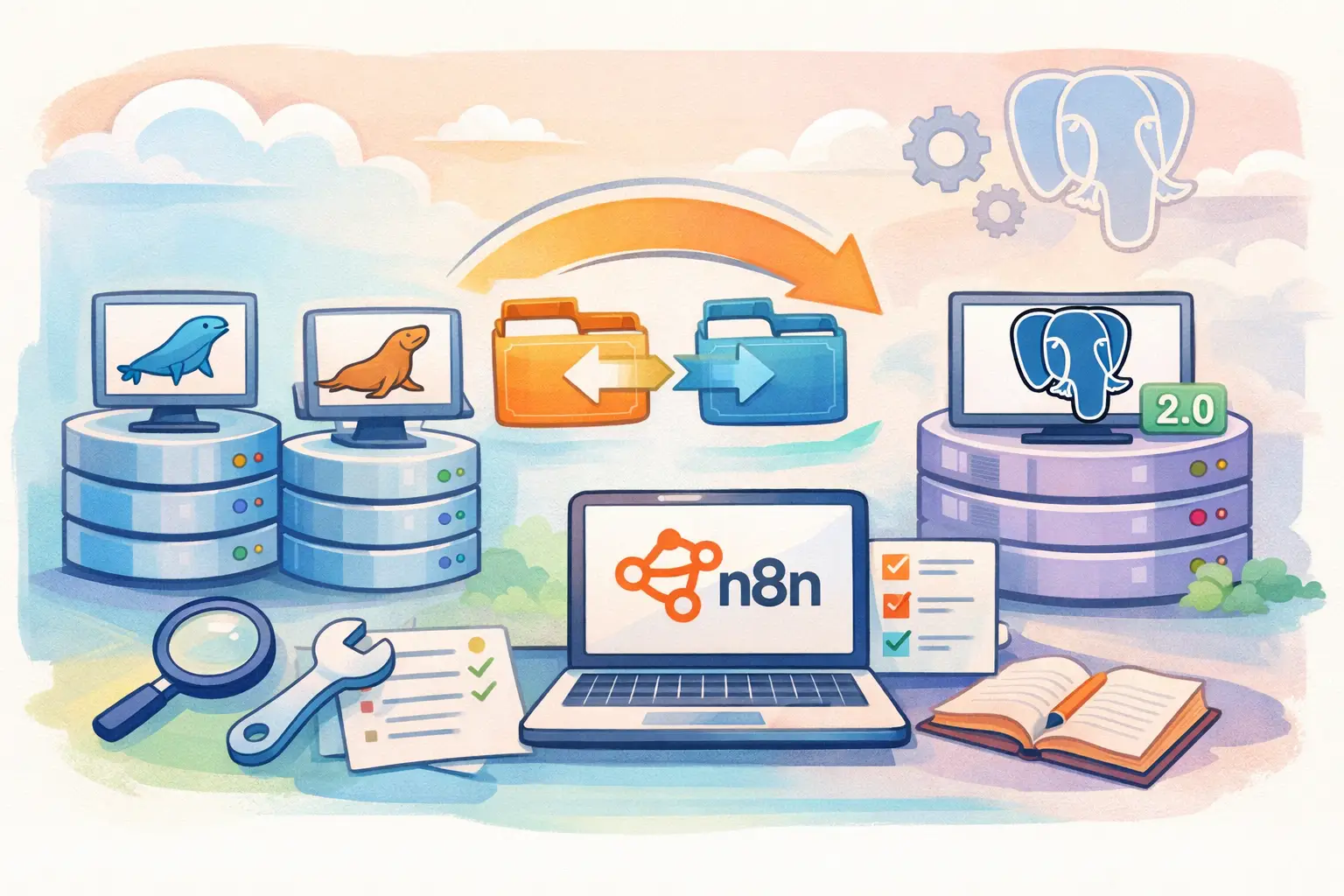
n8n 2.0 Database Migration: MySQL to PostgreSQL - Complete Fix Guide
A comprehensive guide to transitioning your n8n database from MySQL/MariaDB to PostgreSQL, ensuring a smooth upgrade to n8n 2.0 with detailed steps, troubleshooting tips, and best practices.
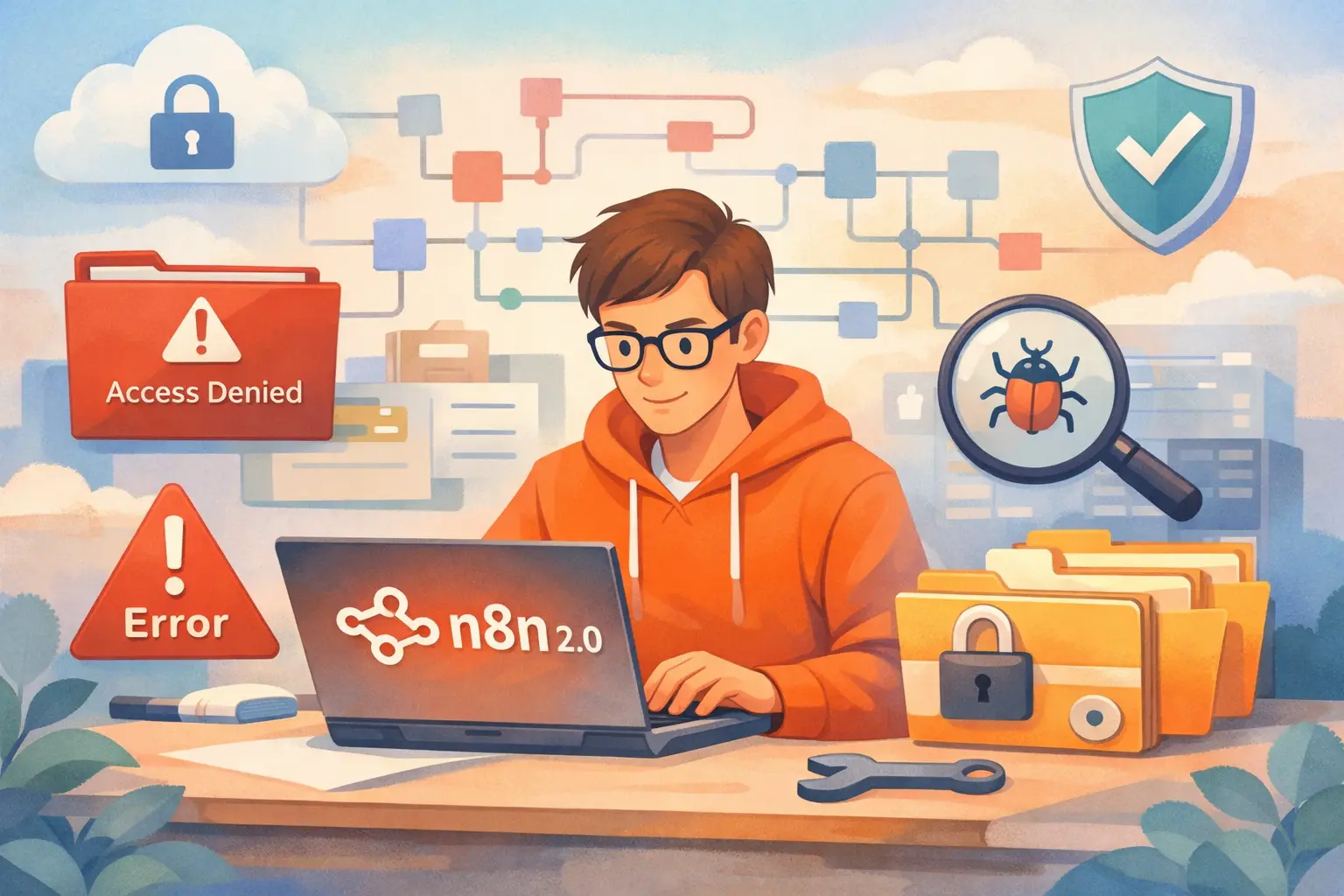
n8n 2.0 Disabled Nodes: ExecuteCommand & LocalFileTrigger Fix Guide
Explore an in-depth guide on how n8n 2.0 disables certain high-risk nodes by default, why this decision was made, and detailed steps to safely re-enable or replace ExecuteCommand and LocalFileTrigger nodes.

n8n 2.0 File Access Restrictions: Common Errors and Easy Fixes
A detailed guide on n8n 2.0 file access restrictions. Learn common errors, troubleshooting steps, and easy fixes to secure and streamline your workflow file management.