n8n 2.0 OAuth Callback Authentication Errors – Non‑Technical Fix Guide
A comprehensive guide to understanding and fixing n8n 2.0 OAuth callback authentication errors, with straightforward steps to resolve common issues and improve security.
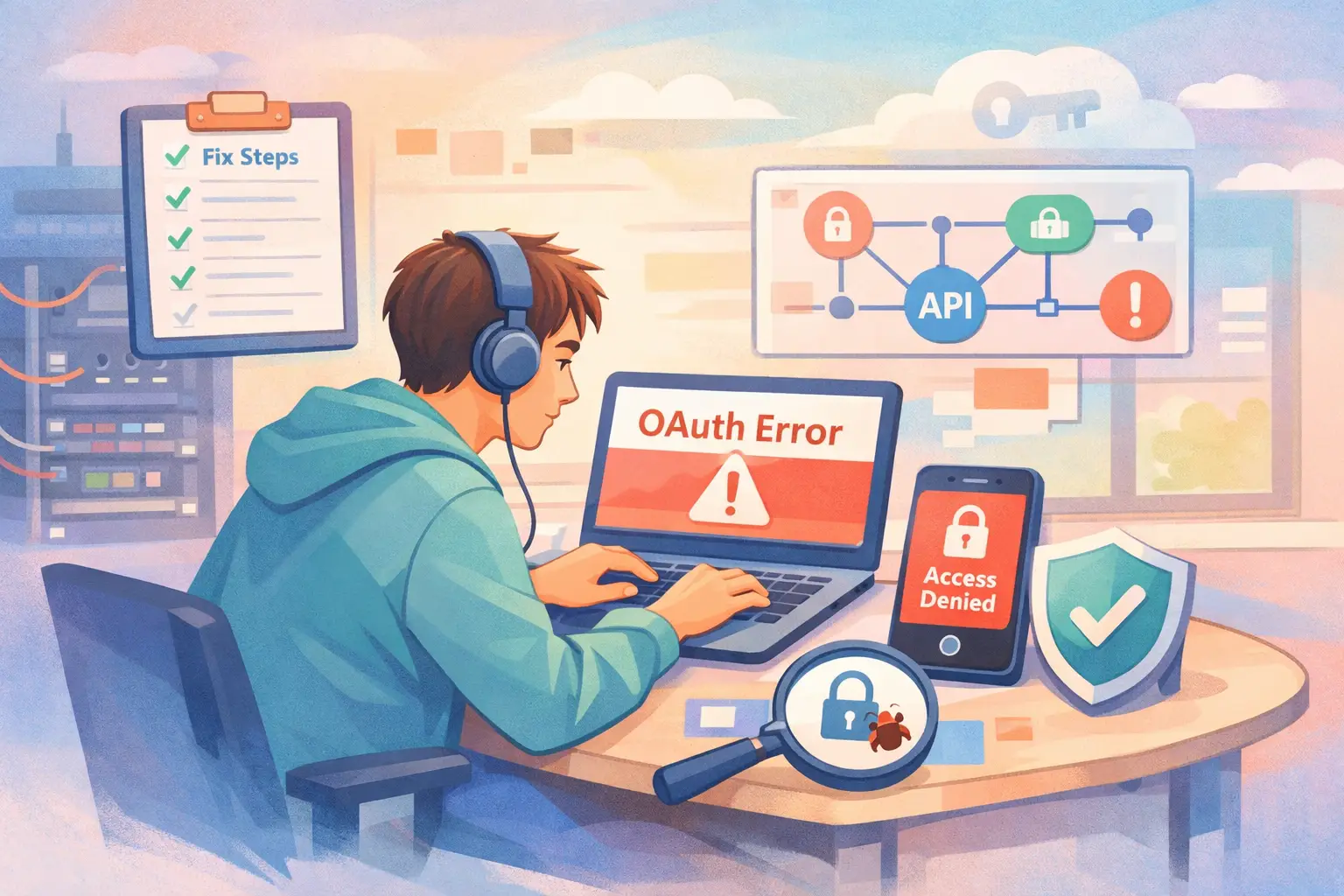
Table of Contents
- Introduction
- Understanding the Changes in n8n 2.0
- The Impact on OAuth Callback Authentication
- Diagnosing and Troubleshooting Common Issues
- Step-by-Step Guide to Fixing the Issues
- Cloud Versus Self-Hosted Environments
- Advanced Configuration and Best Practices
- Additional Tips and Troubleshooting Tools
- Summary and Final Thoughts
Introduction
n8n is a powerful automation tool designed to connect different apps and services through workflows. Its recent upgrade to version 2.0 brought along substantial security improvements and several breaking changes. Among these, one change that has ruffled feathers is the new way OAuth callback authentication works. If you’ve recently upgraded your n8n instance and suddenly encounter errors like “Unauthorized,” “Redirect URI mismatch,” or “Invalid callback URL” when trying to connect your Google, GitHub, or Microsoft accounts, then you are not alone. Today, I will walk you through a non-technical fix guide that addresses these issues step by step.
This guide will help you understand what has changed under the hood, why those changes were necessary, and how you can adjust your configurations to restore proper functionality. Whether you are a seasoned developer or someone who just wants to get your integrations to work again without fussing over code, this article is for you.
Understanding the Changes in n8n 2.0
The primary alteration in n8n 2.0 relates to the security of OAuth callbacks. Before version 2.0, the OAuth callback URLs in n8n 1.x allowed unauthenticated access by default. This meant that once you triggered an OAuth sign-in through providers like Google or GitHub, n8n would accept the callback without verifying if the user had a valid authenticated session. It was a simple and straightforward process that sometimes flew under the radar in the name of convenience.
With 2.0, however, the situation has changed. OAuth callback URLs now require authentication. In simpler terms, the callback endpoint is “locked” until a valid session is detected. This additional step prevents unauthorized attempts to access sensitive endpoints. Let’s break down what this means practically:
- The setting that controlled the old behavior, called N8N_SKIP_AUTH_ON_OAUTH_CALLBACK, formerly defaulted to true. Now, it defaults to false.
- When the authenticated session cookie or token is missing at the time the OAuth callback is processed, the server returns a 401 Unauthorized error.
- This change not only enhances security but also shows that the authentication process now takes center stage in ensuring that only authorized users can complete the OAuth sequence.
Over time, users have reported seeing error messages such as:
- {"status": "error", "message": "Unauthorized"}
- “Redirect URI mismatch”
- “Invalid callback URL”
These errors typically occur immediately after upgrading to n8n 2.0 or when the OAuth callback is initiated without a proper authenticated session. It is important to note that the external OAuth providers (like Google and GitHub) are usually working fine—the way the n8n instance handles the callback has simply changed.
The Impact on OAuth Callback Authentication
Now, why did n8n decide to enforce authentication on OAuth callbacks? The reasoning is straightforward: security. OAuth processes inherently involve sensitive data exchange, including authorization codes and tokens that grant access to your account information from external providers. By requiring authentication at the callback, n8n helps ensure that:
- Only a legitimate, logged-in user can complete the OAuth process.
- There is reduced risk of defense bypasses that might occur if an attacker were to initiate OAuth flows without proper credentials.
- Cross-site or anonymous attempts to access sensitive authentication endpoints are minimized.
Imagine your front door being left wide open; anyone could step in. Previously, n8n’s older version had a similar flaw with OAuth callback endpoints. In the latest version, that door is locked, and only those with the key—in this case, a valid authentication cookie—can enter.
To reiterate, this is a good move for security because:
- It prevents unauthorized access at the very heart of the OAuth process.
- It protects both your user data and the integrity of the overall security system.
However, this improved security means that if your URL configuration, proxy settings, or domain setup is off in any way, your OAuth flows might break. Let’s now delve deeper into diagnosing these issues.
Diagnosing and Troubleshooting Common Issues
When you encounter OAuth-related errors in n8n 2.0, it's crucial to diagnose the root cause. Here are some typical symptoms and diagnostic steps to follow:
Common Symptoms
- The moment you click “Connect” or “Sign in with…” (Google, GitHub, etc.), you might see an error pop up.
- OAuth credentials that worked flawlessly before seem to break immediately after the upgrade.
- Error messages indicate issues like “Unauthorized,” “redirect_uri_mismatch,” or “Invalid callback URL.”
Diagnosing the Issue: A Checklist
Below is a table that summarizes the key checks you should perform:
| Check | What to Look For | Impact if Misconfigured |
|---|---|---|
| Base URL Consistency | Ensure you always use the same canonical URL when accessing n8n. | Mismatched URLs can lead to missing cookies and sessions |
| OAuth Redirect URL in n8n UI | Verify that the redirect URL matches the one in the provider's app. | If they don’t match, the provider rejects the OAuth flow |
| Authentication Cookie/Sessions | Confirm that the session cookie is present during callbacks. | Absence leads to 401 Unauthorized errors |
| Proxy/Load Balancer Config | Ensure proxies correctly forward cookie headers and callbacks. | Missing or stripped cookies can halt the authentication process |
Step-by-Step Troubleshooting
-
Access Consistency
Always access n8n using its canonical URL. If you use something like http://localhost during development but your OAuth redirect URL is set to a different domain, expect issues. If you mix IP addresses with real domains, cookies might not be shared, making authentication fail. -
OAuth Redirect URL Check
Go to your n8n Credentials section. Open your OAuth credential (Google, GitHub, etc.) and look for the OAuth Redirect URL provided. Copy that URL and then check the configuration in your provider’s developer console. Even a small difference in protocol (http vs https) or an extra slash can break the connection. -
Session Verification
Often, the error “Unauthorized” means that the session cookie is missing or not being passed along correctly. This can happen if:- A proxy is not forwarding cookies.
- You have differences in domain/subdomain usage.
- You have basic authentication or another layer interfering with n8n’s built-in auth.
-
Proxy and Load Balancer Settings
If you use a reverse proxy (like NGINX, Traefik, or even Cloudflare), double-check that the configuration does not strip or misdirect cookies. Ensure that the endpoint for the OAuth callback (typically, /rest/oauth2-credential/callback) points to your primary n8n instance, not a secondary worker.
By following these steps, you can narrow down where the problem lies and begin to address the misconfiguration.
Step-by-Step Guide to Fixing the Issues
There are two main approaches to resolve the authentication errors in n8n 2.0: fixing the configuration for authenticated callbacks or using a temporary workaround by skipping callback authentication. The former is recommended for long-term security, while the latter can help you get back up and running quickly while you sort out your settings.
Option 1 – Fix Your Configuration (Recommended)
This approach ensures that your OAuth flows work as intended under the new security restrictions. Here are the steps:
-
Set Up Correct Base URLs
Ensure your environment variables are configured correctly. The following variables are key:
- N8N_EDITOR_BASE_URL: This should be the actual URL you use to log in. For example, if you always access n8n as https://n8n.yourdomain.com, set the variable to that URL.
- WEBHOOK_URL: This is your public URL for webhooks. In some setups, this might differ from your editor URL.
- N8N_HOST, N8N_PORT, N8N_PROTOCOL: Be sure these align with your overall configuration.
For instance, if you check your configuration file or Docker-compose settings, they might look similar to this:
┌─────────────────────────────────────┐
│ N8N_EDITOR_BASE_URL=https://n8n.yourdomain.com │
│ WEBHOOK_URL=https://n8n.yourdomain.com │
│ N8N_HOST=yourdomain.com │
│ N8N_PORT=443 │
│ N8N_PROTOCOL=https │
└─────────────────────────────────────┘Each value should precisely match what you are using as the URL to access n8n.
-
Verify OAuth Redirect URLs
Within the n8n UI:
- Navigate to the Credentials section.
- Open or create your OAuth credential (e.g., Google OAuth).
- Look for the OAuth Redirect URL provided by n8n.
Then, log in to the developer console for your provider, and update the OAuth app configuration with this exact URL. Watch out for:
- Protocol mismatches (http vs https).
- Extra or missing trailing slashes.
- Use of internal hostnames (like localhost) instead of your public domain.
-
Review Proxy and Load Balancer Settings
If you are using a service like NGINX or Traefik, ensure:
- They forward the cookies properly.
- The /rest/oauth2-credential/callback endpoint is routed to your primary n8n instance.
Here’s a simple NGINX configuration snippet for reference:
┌─────────────────────────────────────────────────────────────────────────────┐
│ location /rest/oauth2-credential/callback { │
│ proxy_pass http://n8n_primary_instance; │
│ proxy_set_header Host $host; │
│ proxy_set_header X-Real-IP $remote_addr; │
│ proxy_set_header X-Forwarded-For $proxy_add_x_forwarded_for; │
│ proxy_set_header X-Forwarded-Proto $scheme; │
│ } │
└─────────────────────────────────────────────────────────────────────────────┘ -
Check for Auth Issues
When n8n returns a 401 Unauthorized error during the callback, the issue is typically that there is no valid session cookie. Ensure that:
- You log in using the correct canonical URL.
- There are no conflicts due to domain differences.
- Your browser or proxy settings are not interfering with cookie transmission.
-
Test End-to-End
Once you have updated the configuration:
- Log out and log back into n8n using the canonical URL.
- Attempt the OAuth connection again.
- Verify that the OAuth credential status turns green (or indicates a successful connection).
Testing in an incognito browser window might also help isolate caching or cookie issues.
Option 2 – Temporarily Skip Authentication on Callbacks
If you need a quick fix while adjusting your configuration, you can instruct n8n to revert to the old behavior temporarily:
-
For Docker Users:
Edit your docker-compose.yml file to include:
┌────────────────────────────────────────────┐
│ services: │
│ n8n: │
│ environment: │
│ - N8N_SKIP_AUTH_ON_OAUTH_CALLBACK=true│
└────────────────────────────────────────────┘Then, restart your Docker services:
┌────────────────────────────────────────────┐
│ docker compose down │
│ docker compose up -d │
└────────────────────────────────────────────┘ -
For Self-Hosted Installations:
Add the following line to your environment variables or your .env file:
┌──────────────────────────────────────────┐
│ N8N_SKIP_AUTH_ON_OAUTH_CALLBACK=true │
└──────────────────────────────────────────┘Restart n8n after making the change.
-
On n8n Cloud:
If you have a plan that allows custom environment variables:
- Set N8N_SKIP_AUTH_ON_OAUTH_CALLBACK=true in your instance settings.
- Restart the instance.
If your plan does not support custom environment variables, consider contacting n8n Cloud support for help with this setting.
Remember, while this workaround can resolve the issue immediately, it reduces security. Use it only temporarily, while you work on fully resolving your URL and session problems.
Cloud Versus Self-Hosted Environments
n8n can be deployed in multiple ways, and the steps for resolving OAuth callback issues might vary slightly depending on whether you’re using a self-hosted instance or the n8n Cloud service.
n8n Cloud
- With n8n Cloud, many settings are automatically handled. The OAuth redirect URLs are dynamically generated using your Cloud instance domain.
- Ensure that you always log in with the correct URL and do not attempt to mix different URLs.
- If you run into problems with cookies or session issues, check with the n8n Cloud support team or consult the Cloud documentation (see the official n8n docs at n8n Cloud documentation).
Self-Hosted Instances
- When self-hosting, you have complete control over your configuration. This is a double-edged sword because while you can optimize your setup, there are more opportunities to make a misconfiguration.
- For self-hosted solutions, verify all environment variables and settings manually. Confirm that your proxy, firewall, and SSL/TLS certificates are correctly set up.
- It is also important to review logs frequently. Troubleshooting logs often reveal missing headers or hint that the OAuth callback endpoint is not receiving the expected cookies.
Below is a summary table contrasting some differences:
| Feature | n8n Cloud | Self-Hosted |
|---|---|---|
| Environment Management | Managed by n8n; less manual configuration required | Full control; requires manual setup and maintenance |
| OAuth URL Generation | Automatically derived from cloud instance URL | Manually set by configuring N8N_EDITOR_BASE_URL and WEBHOOK_URL |
| Proxy/Load Balancers | Handled by n8n infrastructure | Must be configured separately (e.g., NGINX, Traefik) |
| Security Best Practices | Enforced automatically | Must be diligently maintained by the administrator |
Advanced Configuration and Best Practices
Ensuring smooth operation of OAuth callback endpoints in n8n needs a blend of proper configuration and adherence to security best practices. Here are some additional tips to keep your setup secure and resilient:
-
Canonical URL Usage
The moment you log in to n8n, always use the same URL as set in N8N_EDITOR_BASE_URL. Mixing domains (for example, using an IP address on one occasion and a domain name on the other) can cause session cookies not to be shared properly. This may lead to authentication errors during the OAuth callback.
-
Session Persistence
Using modern browsers, session persistence is critical. Ensure that your browser is not set to clear cookies or operate in an incognito mode by default when dealing with authentication. This keeps the session cookie available throughout the OAuth flow.
-
Regularly Update Your Software
n8n continuously improves with updates. While the new OAuth callback handling is a significant improvement, it might evolve further. Keep an eye on the release notes provided by n8n and update your instance as needed.
-
Monitor Logs and Alerts
Set up logging and alerts to catch any repeated authentication failures. Tools like fail2ban, or integrated logging solutions, can help you identify when unusual access patterns happen. This proactive approach can prevent larger issues down the line.
-
Backup Your Configurations
Before making any changes to environment variables, settings, or even upgrading n8n, always ensure you have backups of your configuration files. This makes rollback easier if something goes amiss.
-
Documentation and Community Help
Don’t hesitate to consult the official n8n documentation or community forums when you encounter persistent issues. A helpful starting point is the n8n docs on authentication.
Additional Tips and Troubleshooting Tools
Even with a solid understanding of the changes, troubleshooting tricky issues in OAuth flows can be daunting. Here are some additional tools and tips to assist you:
-
Browser Developer Tools
Use Chrome or Firefox developer tools to inspect cookies and headers. Check if:
- The OAuth callback request carries the proper cookies.
- There are any redirections or unexpected URL changes.
- The network tab shows where the process fails.
-
Third-Party Tools
Tools like Postman can be very useful to simulate OAuth flows. You can manually trigger the OAuth callback URL (with proper tokens) to see how your n8n instance responds. This hands-on approach can help isolate whether the issue is with n8n, your proxy, or even the external provider settings.
-
Log Analysis
Reviewing the server logs is invaluable. Look for:
- 401 Unauthorized errors indicating missing authentication.
- Redirection logs showing if the callback URL is being misrouted.
- Errors related to host or protocol mismatches.
-
Step-by-Step Dry Runs
Sometimes, repeating the OAuth process step by step while documenting each step can help you see where the session or cookie might be getting lost. Write down every step, and note down the exact URL values at each stage.
-
Community Resources
The n8n community is active and helpful. Many users post their experiences on forums and issue trackers. If you find your problem persists, consider asking a question there. Sharing logs and configuration details often leads to insights you may have overlooked.
Summary and Final Thoughts
n8n 2.0’s change in handling OAuth callback authentication is a clear win for security. By requiring an authenticated session for sensitive endpoints, n8n significantly reduces the opportunity for unauthorized access. However, this change has implications. If your OAuth flows break after upgrading, the most likely culprits are misconfigured URLs, improper domain usage, or proxy issues that prevent session cookies from reaching n8n.
I recommend beginning with the recommended configuration fix. Confirm your environment variables, check your OAuth redirect URLs, ensure your proxies are not interfering, and re-test the flows. If needed, the temporary fix of setting N8N_SKIP_AUTH_ON_OAUTH_CALLBACK=true can buy you time—but remember, reverting to that setting is only advisable until you resolve the underlying configuration.
To summarize the key takeaways:
- Always use a consistent and correct canonical URL for n8n.
- Double-check that the OAuth redirect URL on n8n matches exactly with the OAuth provider settings.
- Ensure that your proxies forward cookies properly.
- Test the OAuth workflow from end to end and monitor your logs for errors.
- Maintain security by gradually moving away from temporary fixes.
Embracing these practices not only fixes your immediate issues but also strengthens the overall security posture of your platform.
I hope this guide clarifies the changes introduced in n8n 2.0 and provides you with clear steps to restore your OAuth functionality smoothly. With a bit of patience and careful tweaking, you’ll have your workflows running securely and efficiently in no time.
By following this guide, you should be well on your way to resolving the OAuth callback authentication errors that many users have experienced after upgrading to n8n 2.0. With careful checks of your environment variables, URLs, and proxy configurations, you can ensure that your authorization flows remain intact and secure—empowering you to make the most of your n8n workflows without interruption. Enjoy a smoother, more secure automation experience!
FAQ
Frequently Asked Questions
Common questions about this article
Related Articles
You Might Also Like
Explore more articles on similar topics
The Complete Non-Technical Guide to Upgrading n8n to Version 2.0: Everything You Need to Know
A comprehensive, non-technical guide to upgrading n8n to version 2.0. Learn about breaking changes, migration steps, troubleshooting, and detailed fix guides for database migration, code nodes, task runners, disabled nodes, file access, OAuth, and Start node replacement.
n8n 2.0 Database Migration: MySQL to PostgreSQL - Complete Fix Guide
A comprehensive guide to transitioning your n8n database from MySQL/MariaDB to PostgreSQL, ensuring a smooth upgrade to n8n 2.0 with detailed steps, troubleshooting tips, and best practices.
n8n 2.0 Disabled Nodes: ExecuteCommand & LocalFileTrigger Fix Guide
Explore an in-depth guide on how n8n 2.0 disables certain high-risk nodes by default, why this decision was made, and detailed steps to safely re-enable or replace ExecuteCommand and LocalFileTrigger nodes.