
n8n 2.0 Code Node Environment Variables Fix – A Non-Technical Guide
Learn about n8n 2.0 Code Node Environment Variables fix, its changes, why it happened, and how to resolve the issue using either a quick fix or a secure migration to n8n credentials.
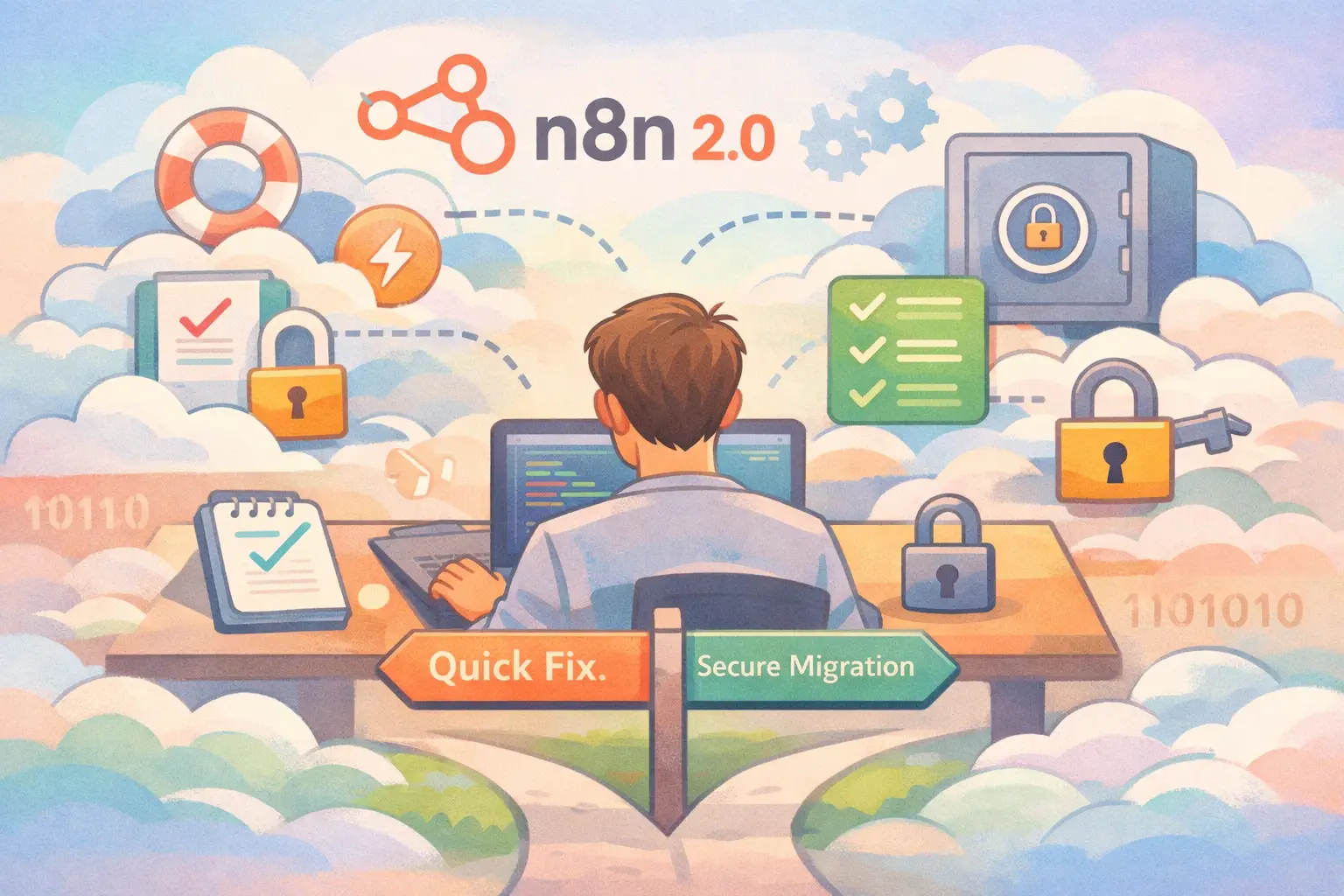
Table of Contents
- Introduction
- Understanding the Change in n8n 2.0
- Identifying if Your Workflow Is Affected
- Option 1 - Re-enable Environment Variables Access
- Option 2 - Migrating to n8n Credentials
- A Detailed Comparison: Which Option Is Right for You?
- Testing Your Fix
- Best Practices for Future Security
- Frequently Asked Questions (FAQs)
Introduction
n8n 2.0 is here. With it comes a significant change that many teams did not anticipate: environment variables in the Code node are now blocked by default. In simple language, if your workflow relies on accessing the server’s environment variables directly in the Code node, you may suddenly see errors. This guide is designed in plain terms so that you and your team can understand what went wrong, why it matters, and how to fix the issue – even if you do not consider yourself a dev-ops expert.
This article will walk you through:
- What has changed in n8n 2.0.
- The reasons behind this change.
- How to determine whether your existing workflows are impacted.
- Two main approaches to resolve the issue: a quick fix that re-enables environment variable access and a more secure, long-term option of migrating secrets to n8n’s built-in credentials system.
By the end of this guide, you will have a clear understanding of your options and step-by-step instructions to fix your workflows. Let us dive in.
Understanding the Change in n8n 2.0
In previous versions of n8n (1.x), the Code node had free access to your server’s environment variables. These environment variables could include things like API keys, database passwords, and service URLs. A common snippet in many workflows looked like this:
const myApiKey = process.env.MY_API_KEY;
This was useful but not without risk. Since environment variables often contain sensitive data, exposing them inside a workflow – even a trusted one – meant that a security risk was always lurking.
In n8n 2.0, there is a purposeful change meant to safeguard the secrets stored on your server. The new default setting blocks access to environment variables, meaning that your Code nodes won’t be able to retrieve these variables without additional configuration. When a workflow attempts to use environment variables, it might throw errors such as:
- "env vars not defined"
- "access to env vars denied"
process.env.MY_API_KEYis undefined
The severity of these errors became apparent once the change was implemented, and suddenly, many workflows began to fail – creating a need for a quick remedy.
The Key Setting: N8N_BLOCK_ENV_ACCESS_IN_NODE
This change is managed through a single setting:
- In n8n 1.x, the default allowed access (equivalent to
N8N_BLOCK_ENV_ACCESS_IN_NODE=false). - In n8n 2.0, this is switched to
trueby default.
When set to true, it prevents your Code node from accessing environment variables directly. This provides a defence mechanism against potential security breaches where unauthorized users could sneak a peek at sensitive configurations.
Identifying if Your Workflow Is Affected
Before proceeding with any fix, it is important to identify if your workflow is impacted. If your workflows use code snippets containing environment variable references or rely on their values in some other way, the chances are high you are affected.
Here is a quick checklist:
- Open your n8n interface.
- Go to your workflows and find any Code node.
- Look for references such as:
process.env.SOME_KEY{{$env.SOME_KEY}}
- Run the Code node on test data.
- Confirm whether errors related to missing environment variables appear in the execution logs.
If you see messages like "env vars not defined" or find that the key appears as undefined, then it’s clear that the change in the default security setting is affecting your workflow.
Option 1 - Re-enable Environment Variables Access
Often, a quick fix is needed to ensure your business operations aren’t interrupted. The first option restores the previous behaviour by re-enabling environment variable access. This method is straightforward and requires less refactoring in your current workflows. It might be well-suited for smaller teams or situations where the development environment is tightly controlled.
The Pros and Cons
| Aspect | Description |
|---|---|
| Setup Time | Fast (approximately 5-10 minutes) |
| Security | Lower; exposes environment variables within Code nodes |
| Team Trust | Works well in trusted, smaller teams |
| Compliance and Auditing | Not ideal if stringent security requirements are needed |
How to Apply This Fix
Depending on your n8n deployment, the implementation steps vary slightly:
Self-hosted Docker Setup
-
Open your
docker-compose.ymlfile. -
In the
n8nservice section, add or modify the environment variable configuration:environment: - N8N_BLOCK_ENV_ACCESS_IN_NODE=false -
Restart n8n with the following commands:
docker compose down docker compose up -d -
Verify by executing a workflow that was previously failing.
Self-hosted without Docker (npm/PM2/systemd)
-
Locate the file where environment variables are set (this might be a
.envfile). -
Append the following line:
N8N_BLOCK_ENV_ACCESS_IN_NODE=false -
Restart the n8n service (using PM2, systemd, or however you normally do).
-
Test your Code node to ensure the variable is accessible.
n8n Cloud Users
n8n Cloud typically provides an interface to adjust your instance settings.
- Log in to your n8n Cloud Dashboard.
- Navigate to your instance settings and locate the Environment Variables section.
- Add or modify the setting:
- Name: N8N_BLOCK_ENV_ACCESS_IN_NODE
- Value: false
- Save the changes and wait for the instance to restart automatically.
- Run your workflow to verify that the error is resolved.
Security Considerations
While Option 1 is a quick remedy, it is important to be cautious. Re-enabling environment variable access means that any Code node in your workflows can potentially read these keys. This adds a security risk, especially in environments where multiple team members have permissions to edit workflows. Those with access might inadvertently expose your sensitive data. For a long-term and secure approach, transitioning to the n8n credentials system is recommended.
Option 2 - Migrating to n8n Credentials
For those looking to adopt best practices in security, Option 2 is the more secure pathway. n8n offers a built-in credentials system that securely stores sensitive data like API keys and passwords. This system encrypts your secrets and keeps them isolated from the Code node, ensuring that even if a workflow is viewed by someone, the sensitive data remains protected.
The Advantages
| Aspect | Description |
|---|---|
| Security | High; secrets are encrypted and safely stored |
| Compliance | Better for audit trails and regulatory requirements |
| Flexibility | Designed for multi-user environments with controlled sharing of sensitive data |
| Development Approach | Requires initial refactoring but is beneficial in the long term |
Steps to Migrate to n8n Credentials
Migrating to n8n credentials involves several steps. It requires identifying the environment variables used in your Code nodes, creating new credentials inside n8n, and then updating your workflows to use these credentials.
Step 1: Identify Affected Environment Variables
Go through your workflows and list every environment variable used by Code nodes. Look for things such as:
- API keys, e.g.,
MY_API_KEY - Database credentials, e.g.,
DB_PASSWORD - Service tokens, e.g.,
process.env.SLACK_TOKEN
Make a detailed list and note which workflows use them. This helps existing documentation and prevents overlooking any sensitive information while migrating.
Step 2: Creating New Credentials in n8n
- Log in to your n8n instance.
- Navigate to the Credentials section.
- Click on the "New" button to start creating a new credential entry.
- Depending on the type of service, choose an appropriate credential type such as “HTTP Basic Auth”, “API Key”, or, if no direct option exists, use a generic credential type.
- Input the secret details into the new credential form.
n8n encrypts these credentials with your defined encryption key, thus storing your sensitive data securely.
Step 3: Attach the Credentials to Your Workflow Nodes
For most integration nodes (such as HTTP Request, Slack, or Postgres nodes), the process is straightforward:
- Open the node.
- Look for an "Authentication" or "Credentials" field.
- Select the new credential you created.
- Remove any custom header logic that was directly fetching data from an environment variable.
For Code nodes, instead of directly accessing these secret variables, pass the values as parameters or use an expression to retrieve the data injected by a previous node configured with credentials.
Step 4: Refactor Your Code Node Logic
Previously, your Code nodes might have contained the following:
const apiKey = process.env.MY_API_KEY;
In the revised approach:
- Remove direct reference to the environment variable.
- Set up an earlier node (for instance, an HTTP Request or a custom function node) that retrieves the secret value securely.
- Pass the retrieved value to the Code node through workflow parameters or context variables.
This way, your Code node is focused on processing data rather than handling secret management. Over time, this segregation both improves security and streamlines the maintainability of your workflows.
A Practical Example
Let us consider an example scenario. Suppose you have a workflow named “Lead Sync” that uses an API key for a third-party service.
-
Old Approach in Code node:
const apiKey = process.env.MY_API_KEY; // Code that calls the third-party service using the apiKey -
New Approach:
- Create a new credential of type “API Key” in n8n and store your key.
- In the “HTTP Request” node, configure it to use the new credential.
- Remove the direct access code from the Code node.
With this setup, your workflow delegates secret management to the n8n credential system. It improves the overall security and avoids accidental exposure of runtime environment variables.
A Detailed Comparison: Which Option Is Right for You?
When deciding between re-enabling access to environment variables and migrating to n8n credentials, several factors need to be considered. Below is a table that outlines several key aspects of both approaches side by side.
| Feature | Re-enable Environment Access (Option 1) | Migrate to n8n Credentials (Option 2) |
|---|---|---|
| Setup Complexity | Low; simply adjust your environment variable | Moderate; requires creating credentials and refactoring workflows |
| Time to Implement | Fast (5-10 minutes) | Medium to long term (depends on the number of workflows) |
| Security | Lower; secrets are accessible in Code nodes | High; enables encrypted storage and controlled access |
| Scalability | Works best with a small team or single user | Ideal for multi-user environments with strict security needs |
| Compliance and Auditing | Less suitable if regulatory compliance is essential | Provides better audit trails and meets compliance standards |
| Long-term Maintainability | Temporary workaround for immediate fix | Future-proof; aligns with best practices in secret management |
How to Decide
- If you are in a situation where immediate functionality is required and your team is small or highly trusted, Option 1 might be acceptable temporarily.
- On the other hand, if you prioritize long-term security, compliance, and scalability, investing time now in setting up n8n credentials will pay dividends later.
Testing Your Fix
After you have implemented either Option 1 or Option 2, it is critical to verify that your workflows are working as expected. Testing serves as a checkpoint before moving back to production or scaling your solution. Here are the steps to test thoroughly.
Steps to Verify
-
Select a Workflow:
Choose a workflow that previously reported environment variable-related errors. -
Execute the Code Node:
Run the Code node manually. Ensure that it now accesses the required variable or, in the case of the credential migration, correctly uses the credential data passed from a preceding node. -
Review Logs:
Check the execution logs. Look for the disappearance of errors like "env vars not defined" or messages indicating variable access issues. Additionally, any API call failures that previously relied on these secrets should now execute successfully. -
Multiple Environment Testing:
If you maintain separate environments (development, staging, production), perform the test in each. This helps in confirming that your fix applies uniformly across all settings. -
Documentation Check:
Update your internal documentation to record the change. Document which workflows were updated and which secrets have been migrated into n8n credentials. This is useful for audits and when onboarding new team members.
Over time, these checks not only ensure that your workflows remain functional but also help in maintaining security and operational integrity.
Best Practices for Future Security
Now that the distinction between quick fixes and long-term security strategies is clear, here are some best practices to ensure incidents like this do not catch you off guard in the future.
Secure Your Environment
- Always isolate sensitive configuration management from general workflow logic.
- Limit Code node access to sensitive information; use credentials whenever available.
- Regularly review who has access to your n8n instance, especially those who can edit workflows.
Adopt a Layered Approach
Layered security is a principle that applies well here:
- First, store non-sensitive configurations in environment variables (such as the environment type – development, staging, production).
- For anything sensitive (API keys, tokens, passwords), move to n8n credentials.
- Consider implementing a secret management service, such as AWS Secrets Manager or Vault, if your application grows in complexity and sensitivity.
Documentation and Training
- Document the changes you make. Future team members or external auditors should easily see why environment variables were blocked and how secrets are now managed.
- Provide training or a walkthrough of this process for your team. This foresight ensures that even when someone new joins the team, they understand your security protocols and how n8n manages secrets.
Monitor n8n Updates
n8n is constantly evolving. Keep an eye on official announcements and update guides such as the n8n documentation and n8n blog posts. Regular updates may provide refined methods or entirely new secure patterns, which will further help you refine your workflows over time.
Use Least Privilege Principle
Adhere to the principle of least privilege:
- Grant only necessary permissions to team members.
- When accessing credentials, ensure that only the minimum required data is available for the task at hand.
By following these best practices, you not only avoid falling prey to sudden technical changes but also bolster the overall security infrastructure of your workflows.
Conclusion
n8n 2.0 represents a significant step forward in workflow security by blocking direct access to environment variables in Code nodes. Although it might seem daunting at first, understanding the rationale behind this change makes it easier to choose the right fix for your situation.
For teams needing an immediate remedy, simply re-enabling environment variable access via N8N_BLOCK_ENV_ACCESS_IN_NODE=false is a quick fix. However, if you value long-term security, scalability, and compliance, migrating your sensitive data into n8n credentials is undoubtedly the better option.
By following this guide, you are well-equipped to:
- Identify which parts of your workflow require modifications.
- Make a calculated decision whether to apply a quick fix or to invest in a more secure credential system.
- Rigorously test your workflows after making changes.
- Implement best practices that will protect your sensitive data in future updates.
As n8n evolves, staying updated with security practices is essential. I hope this guide has clarified the nature of the change, outlined your options in detail, and provided a clear path towards a secure and efficient resolution. Embrace this opportunity as a chance to refine your workflows and improve the overall integrity of your operations.
By aligning with well-documented best practices and leveraging n8n’s robust security features, your workflows will not only be functional but also resilient against emerging security threats. Happy automating!
Frequently Asked Questions (FAQs)
Can I allow only some environment variables, not all?
At the moment, n8n uses a global switch for environment variable access via N8N_BLOCK_ENV_ACCESS_IN_NODE. This means that the setting does not allow granular control over individual variables. The best approach is to store only non-sensitive configuration data in environment variables and migrate all sensitive information to n8n credentials. For further reading, please refer to the n8n credentials documentation.
Does this fix work for both expressions and Code nodes?
Yes, it does. The security setting in n8n 2.0 is applied universally to both direct code access (such as using process.env) and expressions that reference environment variables (e.g., {{$env.VARIABLE}}). This ensures consistency across different workflow components. If you notice errors in either case, you may need to either re-enable access by setting N8N_BLOCK_ENV_ACCESS_IN_NODE=false or transition to using the credentials system as described in this guide.
What steps should I take if I experience unexpected issues even after making these changes?
If issues persist:
- Revisit your workflow and validate that every reference to environment variables is updated per your chosen approach.
- Examine the logs in detail; sometimes, the problem may stem from a misconfiguration elsewhere in your workflow.
- For further assistance, consult the n8n community resources and official documentation.
By keeping these FAQs in mind, you have not only addressed the immediate issues with environment variable access but also taken a step toward a more secure, manageable pathway for future workflow development.
This comprehensive guide has covered everything from understanding the rationale behind the n8n 2.0 changes to step-by-step instructions for both quick fixes and secure migrations. By following these steps, your workflows will get back on track with improved security and maintainability. Enjoy your secure and smoother automation experience with n8n!
FAQ
Frequently Asked Questions
Common questions about this article
Related Articles
You Might Also Like
Explore more articles on similar topics
The Complete Non-Technical Guide to Upgrading n8n to Version 2.0: Everything You Need to Know
A comprehensive, non-technical guide to upgrading n8n to version 2.0. Learn about breaking changes, migration steps, troubleshooting, and detailed fix guides for database migration, code nodes, task runners, disabled nodes, file access, OAuth, and Start node replacement.
n8n 2.0 Database Migration: MySQL to PostgreSQL - Complete Fix Guide
A comprehensive guide to transitioning your n8n database from MySQL/MariaDB to PostgreSQL, ensuring a smooth upgrade to n8n 2.0 with detailed steps, troubleshooting tips, and best practices.

n8n 2.0 Disabled Nodes: ExecuteCommand & LocalFileTrigger Fix Guide
Explore an in-depth guide on how n8n 2.0 disables certain high-risk nodes by default, why this decision was made, and detailed steps to safely re-enable or replace ExecuteCommand and LocalFileTrigger nodes.